One Login for Every App: Set Up Your Business Once
Most small businesses have more passwords than employees. One of them is on a sticky note. You know which one.
Short answer: in simpleWhirks, Hub is the front door. You sign up once, type your business details once, and open Books or Proposals from Hub without logging in again. Then you invite your team to just the apps they need.
What problem does this solve?
Running a business on separate tools usually means:
- A login per app. Plus a password reset per app, roughly every other Monday.
- Your address in five places. Change your phone number and you’ll find the old one on an invoice six months later.
- All-or-nothing access. The new office help needs to send quotes. They don’t need to see your bank balance.
What does it do?
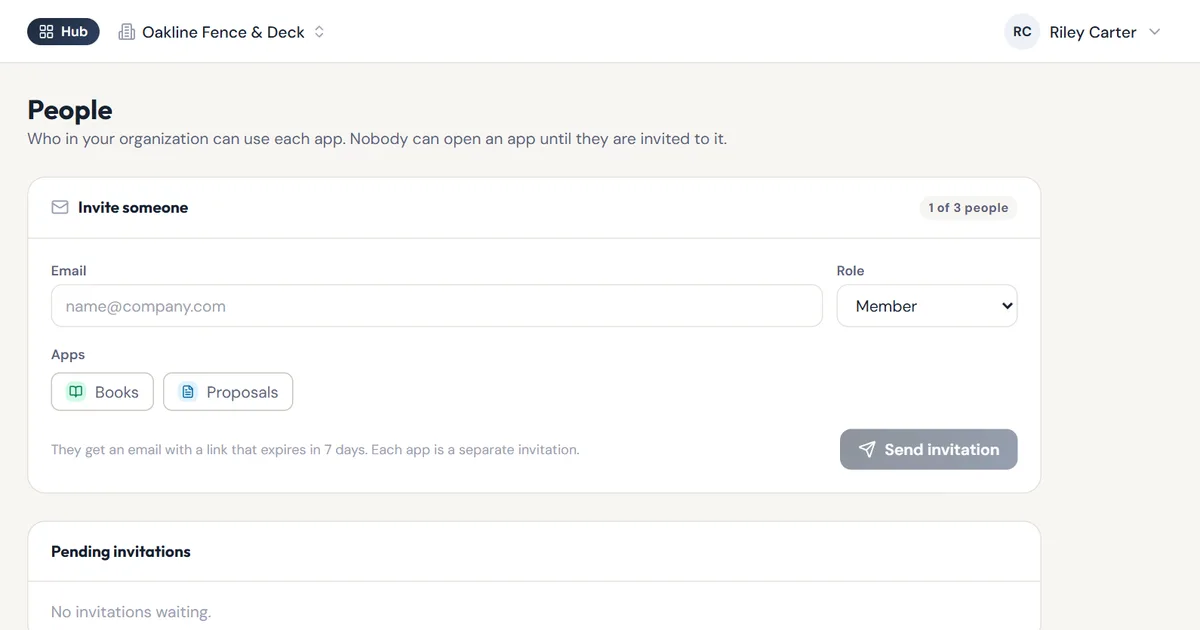
1. One account, every app. Create your account in Hub with your name, your organization’s name, your email and a password. Hub’s dashboard shows the apps you use. Click Open Books or Open Proposals and you land inside, already signed in.
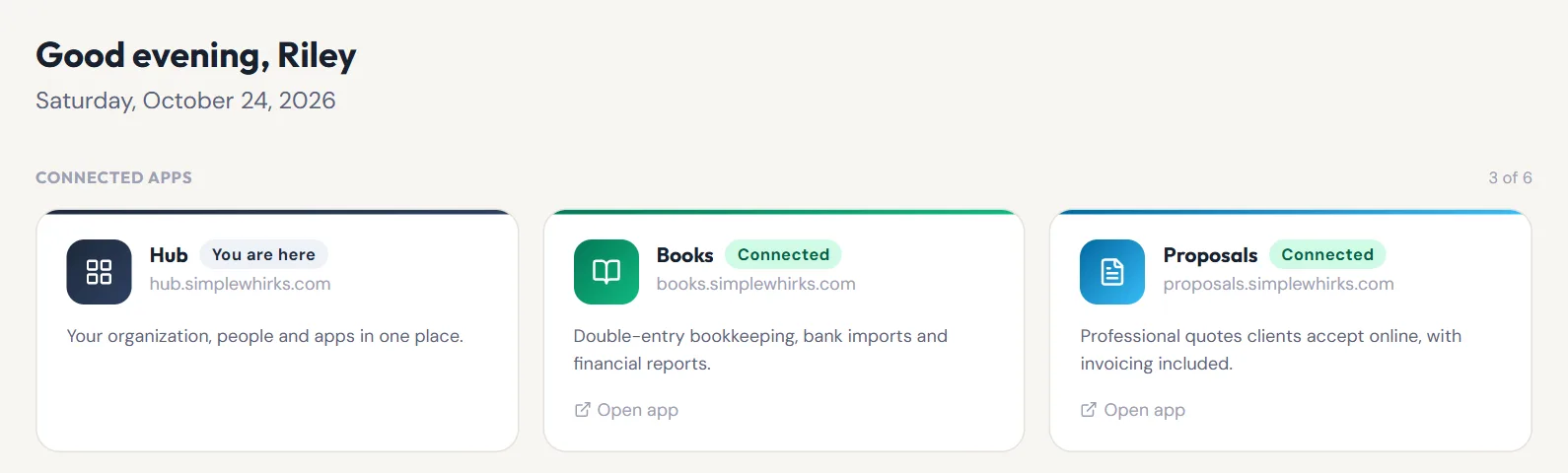
2. Business details, entered once. Under Settings → Organization, add your business name, legal name, logo, address, phone, support email, website and tax ID. Books and Proposals use these on invoices, proposals and anything a client receives. Fix a typo in Hub and every app picks it up.
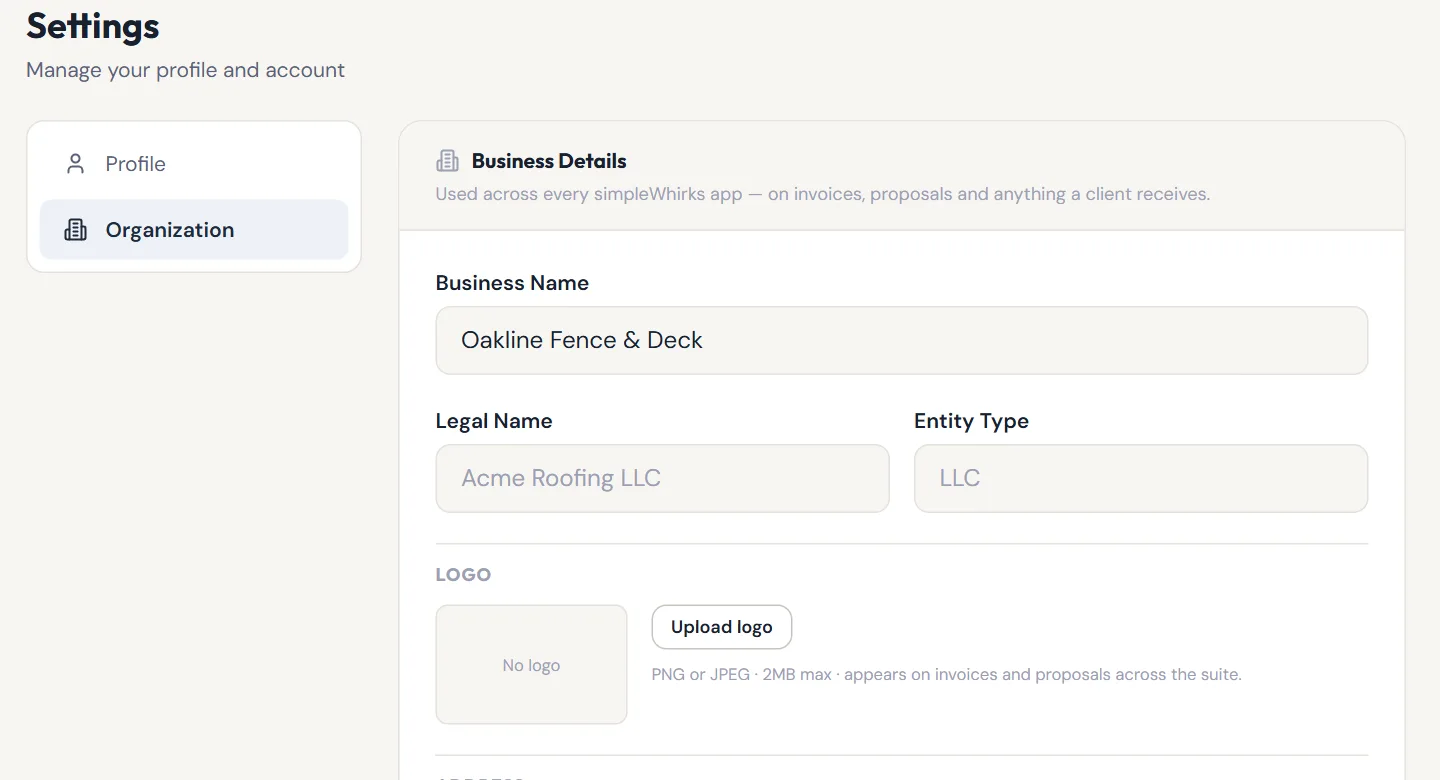
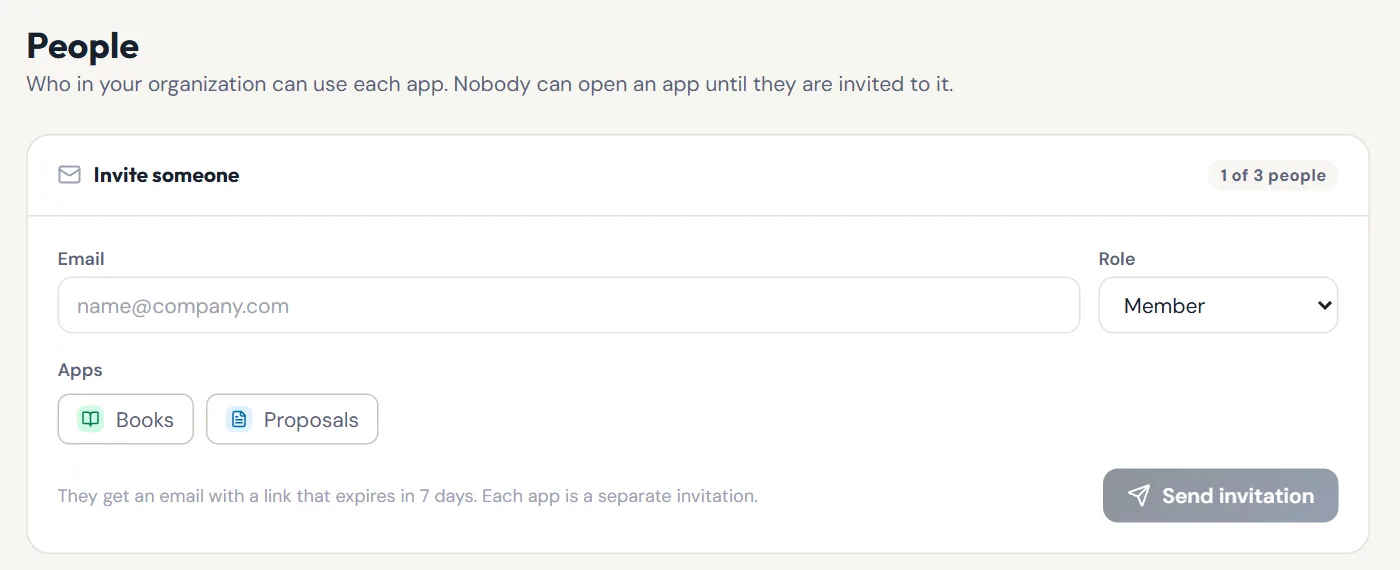
3. Invite your team, app by app. On People, enter an email, choose Member or Admin, and tick Books, Proposals or both. They get an email with a link that expires in 7 days. Nobody can open an app until they’re invited to it, and you can remove someone’s access from the same page.
Who is it for?
- The owner with an office manager. Give them Proposals to send quotes. Keep Books to yourself, or add it later.
- The couple who run the business together. Both of you get in with your own logins and the same business details.
- The contractor with a side business. Create a second organization and switch between them from the top of the screen.
What should I know before I rely on it?
- The basic plan allows 3 people per organization, you included, across Books, Proposals and Tasks. Hub shows how many places are used.
- Books, Proposals and Tasks are the shareable apps today. Other simpleWhirks apps show in Hub as coming soon.
- Invitations go by email and expire after 7 days. Send a new one if it runs out.
- New people join as Member or Admin. The owner role isn’t handed out by invitation.
- Business details are edited in Hub. Books and Proposals show them read-only, with a link back to Hub.
How do I start?
Create your free account in Hub. Fill in Settings → Organization first, so your first invoice already looks right. Then open Books or Proposals from the sidebar. Want a look around first? Try the demos, no account needed.
About the author. Travis Sutphin is the CTO and co-founder of simpleWhirks, and builds Hub, the part of the suite that holds everything else together. More from Travis.
Frequently asked questions
Related reading
Online Quote Acceptance: Get a Yes Without Paperwork
simpleWhirks Proposals lets clients accept your quote online with a typed name, then turns the accepted quote into an invoice in one click. No printing, no chasing.
Hub · Product NewsTry simpleWhirks Free: Click Around a Demo First
Try simpleWhirks Books and Proposals before you sign up. Click around a sample business with no account, then follow a guided tour to see how each part works.