Free Bookkeeping Software: Registers, Imports, Reports
Most “free” bookkeeping software is free the way a puppy is free. The bill shows up later, usually right when you need the report your accountant asked for.
Short answer: simpleWhirks Books is free double-entry bookkeeping for small businesses. You get a register for every bank and card account, CSV statement import, and the Trial Balance, Balance Sheet, Income Statement and General Ledger your accountant wants. No card, no trial, no expiry.
What problem does this solve?
If you run a small business, the books usually live in one of three places:
- A spreadsheet that worked fine until the second bank account showed up.
- A paid subscription you mostly use to download one report a year.
- A shoebox. We don’t judge. Your accountant might.
What you actually need is simple: every dollar in and out, in the right account, with reports that balance.
What does Books do?
Three things, done properly.
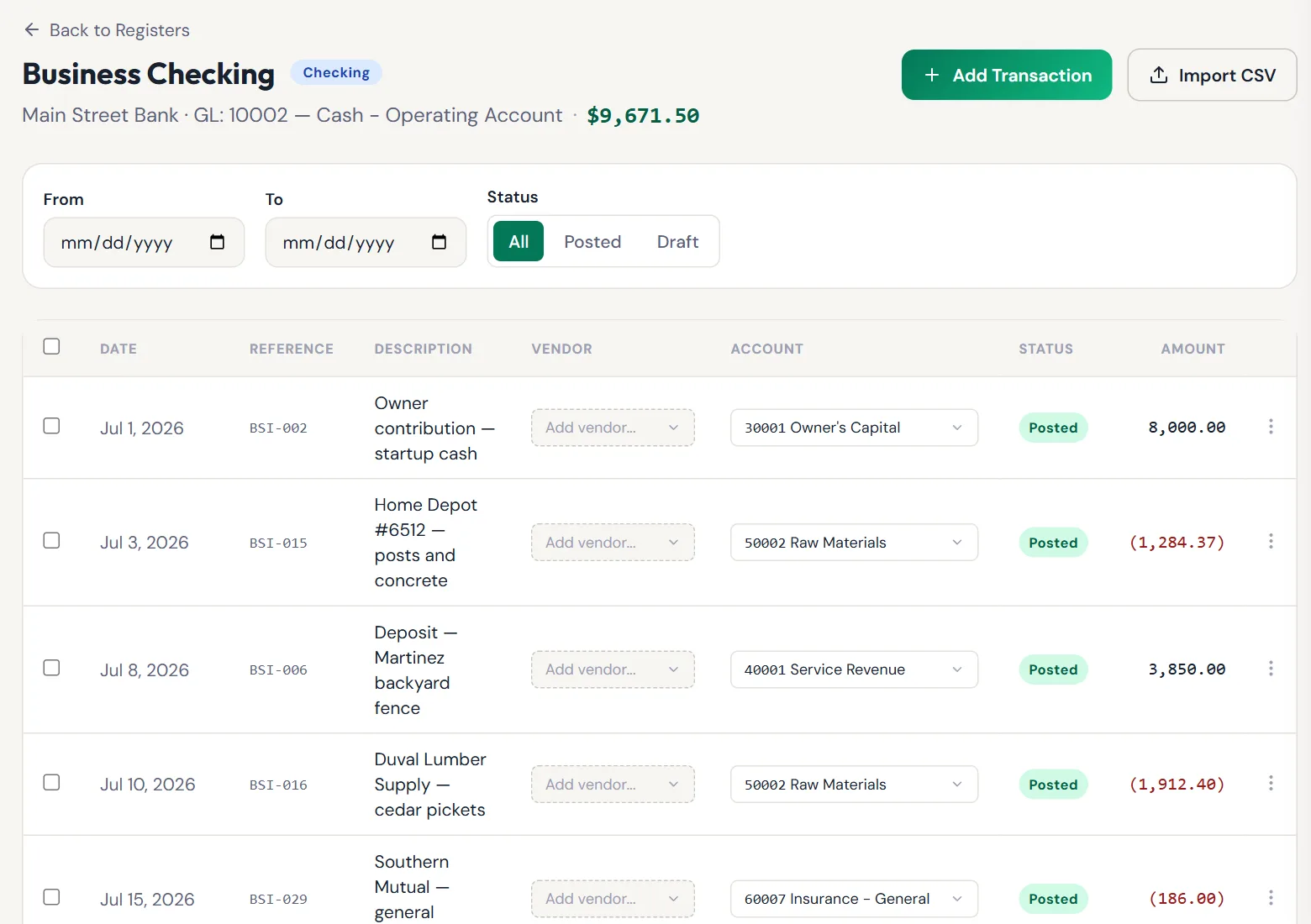
1. A register for every account. Each checking, savings and credit card account gets its own register, with its current balance up top. Assign each transaction to an account, split one across several, and open any line to see exactly how it hit the ledger.
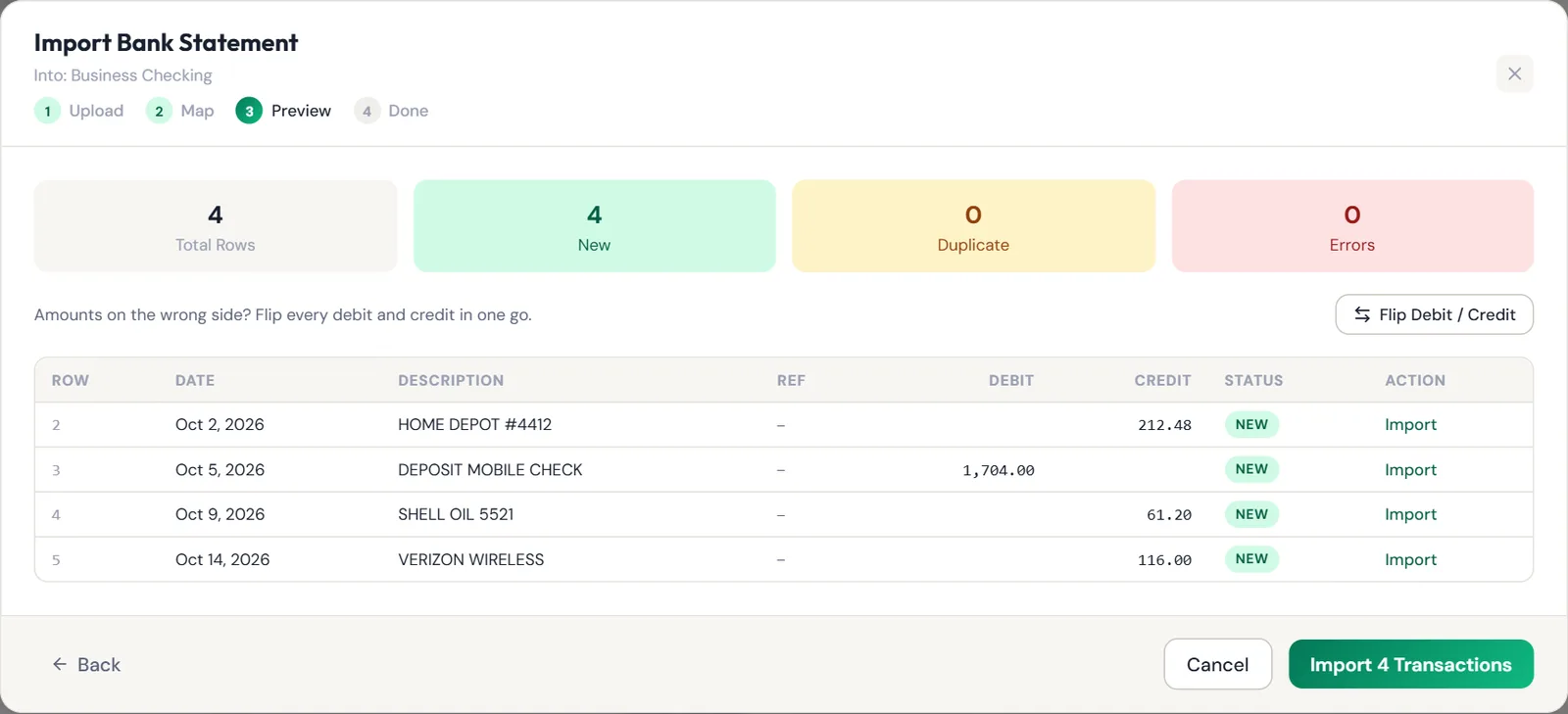
2. Import your bank statement. Download a CSV from your bank, drop it in, and tell Books which columns hold the date, description and amount (or separate debit and credit columns). Books flags rows that already exist, with the same date, amount and description, and skips them. The rest come in as drafts, so nothing hits your ledger until you’ve assigned it.
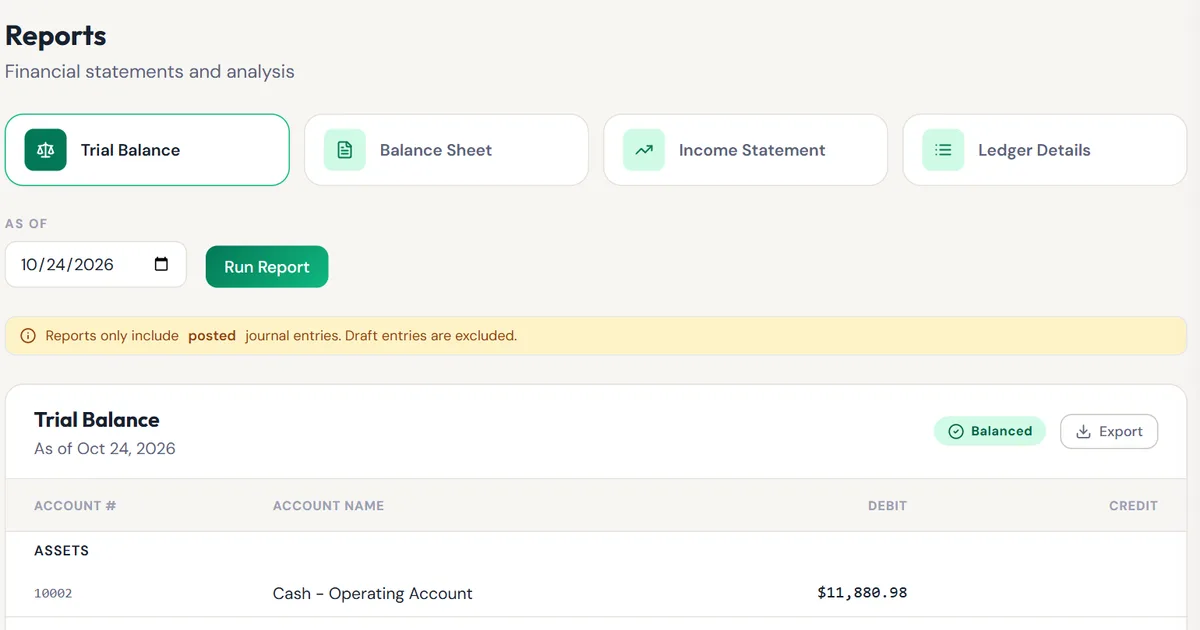
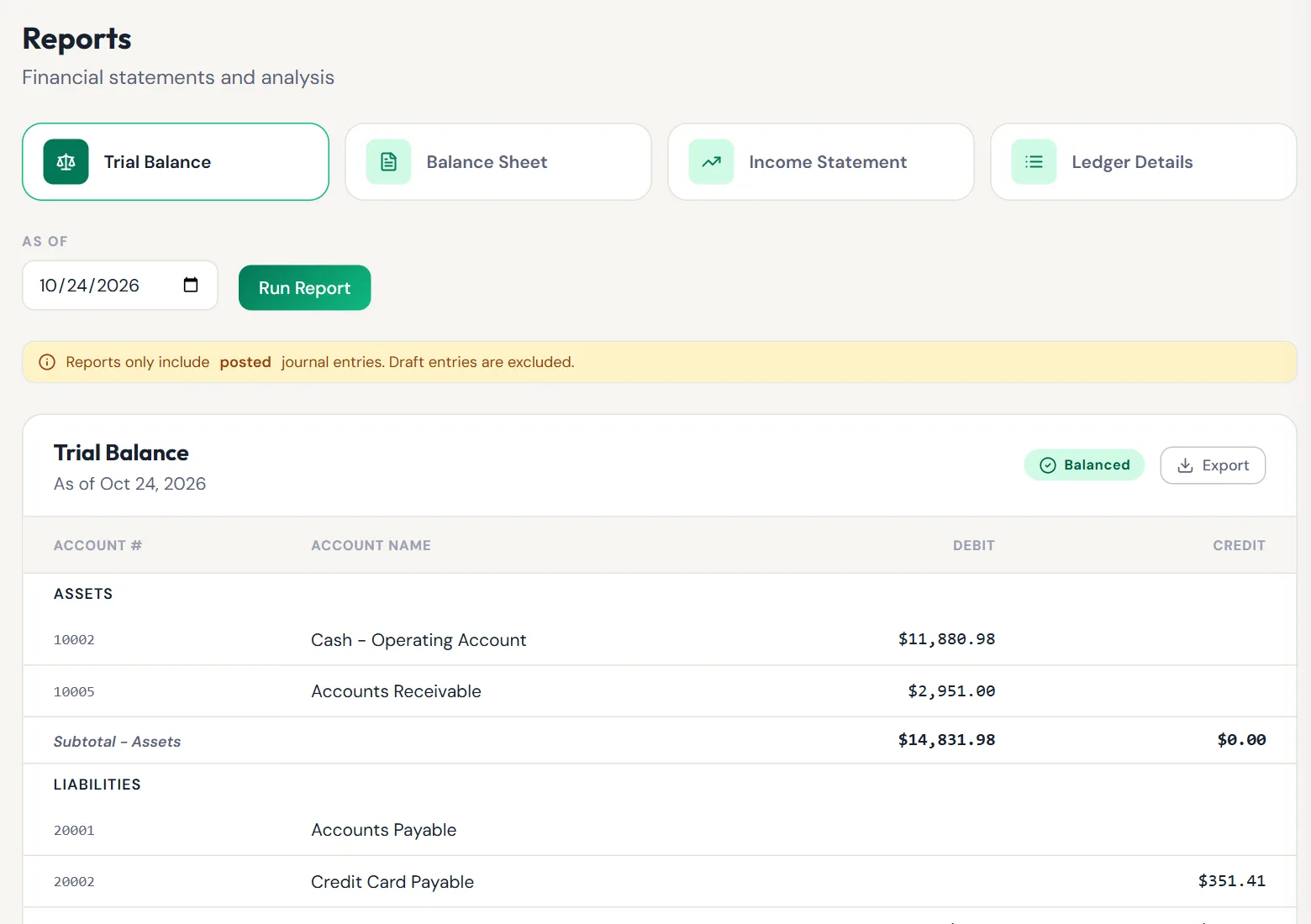
3. The reports your accountant asks for. Trial Balance, Balance Sheet, Income Statement and Ledger Details, which is your general ledger. The Income Statement shows a total or a month-by-month view. Every report exports to CSV, Excel or PDF.
Who is it for?
- The one-truck service business. One checking account, one card, a monthly statement import, and a clean P&L at tax time.
- The contractor with a few accounts. Operating account, payroll account, two cards. Each gets a register, and the Balance Sheet pulls them together.
- The owner whose accountant keeps asking for “the trial balance.” It’s one click, and it exports in the format they want.
What should I know before I rely on it?
- There are no live bank feeds. You import statements as CSV files. It’s a few minutes a month, and nothing breaks when your bank changes its login page.
- It’s real double-entry bookkeeping. Every transaction needs an account on the other side. That’s what makes the reports balance, and it’s also why the setup takes a little thought.
- You can lock a period. Once a month or year is filed, set Books Closed Through in Settings. Anything on or before that date can’t be added, edited, voided or deleted until the owner reopens it.
- Invoicing and bills are separate. Accounts Receivable and Accounts Payable are optional add-ons, free during early access.
How do I start?
Sign up for Books, set up your chart of accounts, and add a register for each bank and card account. Then import last month’s statement and assign the transactions. Coming from QuickBooks? You can import your chart of accounts and journal entries from CSV. The switching guide covers the order.
Do it monthly and tax season becomes an export.
About the author
Travis Sutphin is the CTO and co-founder of simpleWhirks, and builds the parts of Books that make the reports balance. More from Travis.
Frequently asked questions
Defined Terms
- Register
- The list of every transaction in one bank or credit card account, and its balance.
- Trial Balance
- A report listing every account's debit and credit totals, which must match.
- Closing a period
- Locking every entry dated on or before a chosen date so it can't be changed.
Related reading
How to Switch from QuickBooks to simpleWhirks Books
The complete 10-step migration playbook for moving from QuickBooks Online to simpleWhirks Books, written by a CPA and a CTO. Export, import, check balances, file.
Books · Bookkeeping BasicsMonthly Bookkeeping Checklist: A 30-Minute Close
A monthly bookkeeping checklist you can finish in 30 minutes: import the bank, sort the strays, chase open invoices, check the P&L, then lock the month.