Vendor Payments and 1099s: See Who You Paid This Year
January has two traditions: resolutions, and digging through last year’s bank statements to work out who you paid. Only one of them involves a highlighter and regret.
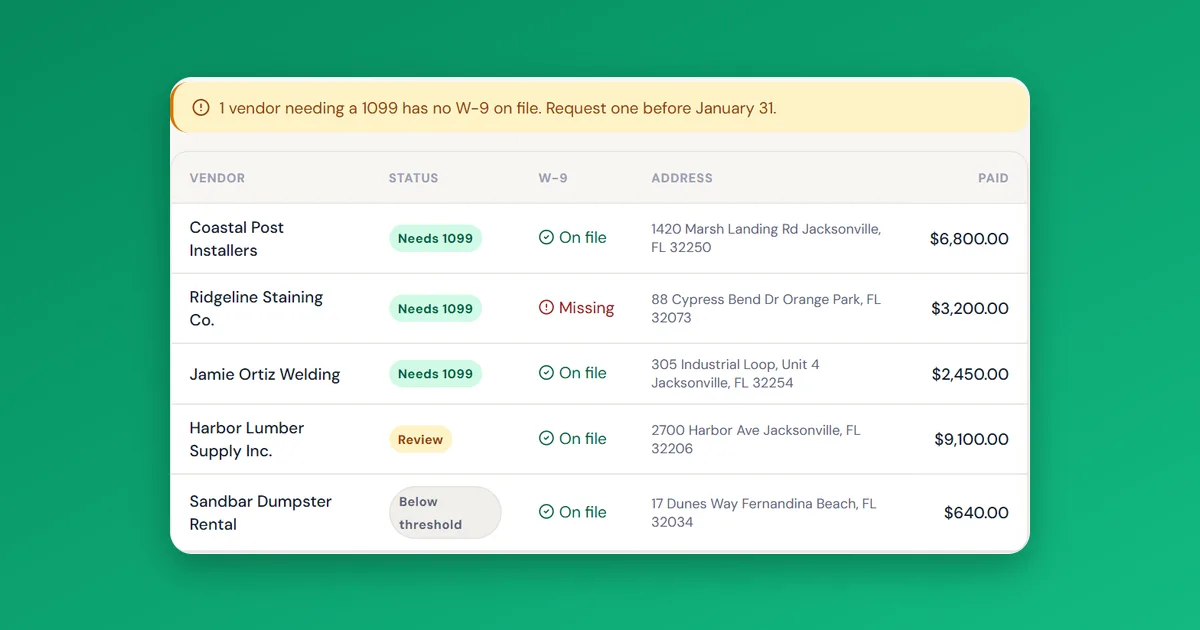
Short answer: tag each payment with the vendor you paid, and let a report do the adding. In simpleWhirks Books, Vendor Payments & 1099s totals every bank payment per vendor, then tells you which contractors need a 1099-NEC and whether you have their W-9.
What problem does this solve?
If you pay contractors, you know the drill:
- “How much did we pay Dave this year?” Cue twenty minutes of searching for “Dave”, “D. Miller” and “Miller Electric”.
- Some payments went through bills, some straight from the bank. No single place shows both.
- The 1099 deadline sneaks up. Then you find out the one contractor over the threshold never sent a W-9.
None of that is hard. It’s just tedious, and it always lands in the busiest week of the year.
What does Vendor Payments & 1099s do?
Three things, all in Books.
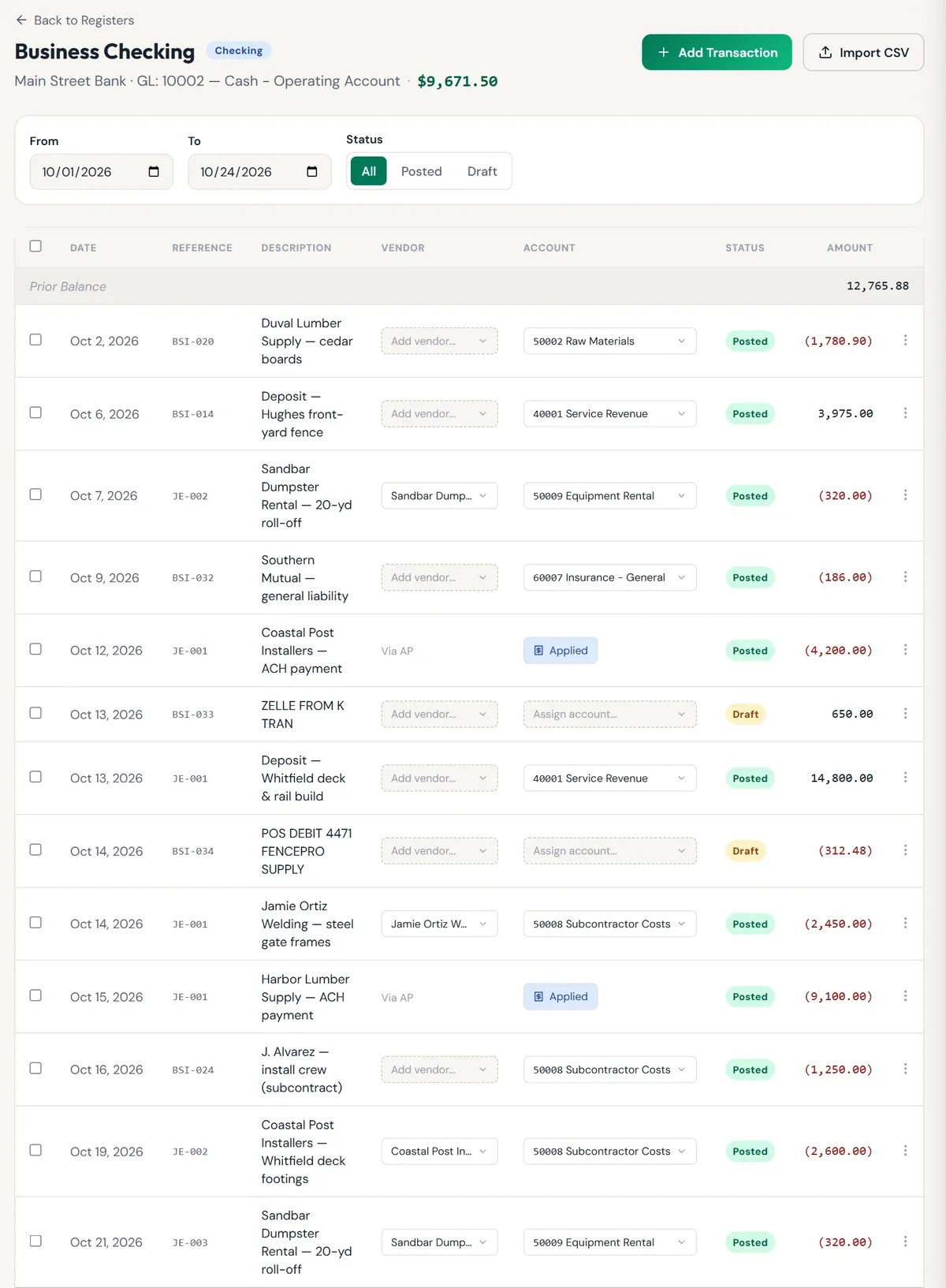
1. Tag the vendor on any payment. A vendor field sits on your bank and card register transactions. Pick the vendor once, or select a batch and set them all at once. Payments made through bills already know their vendor.
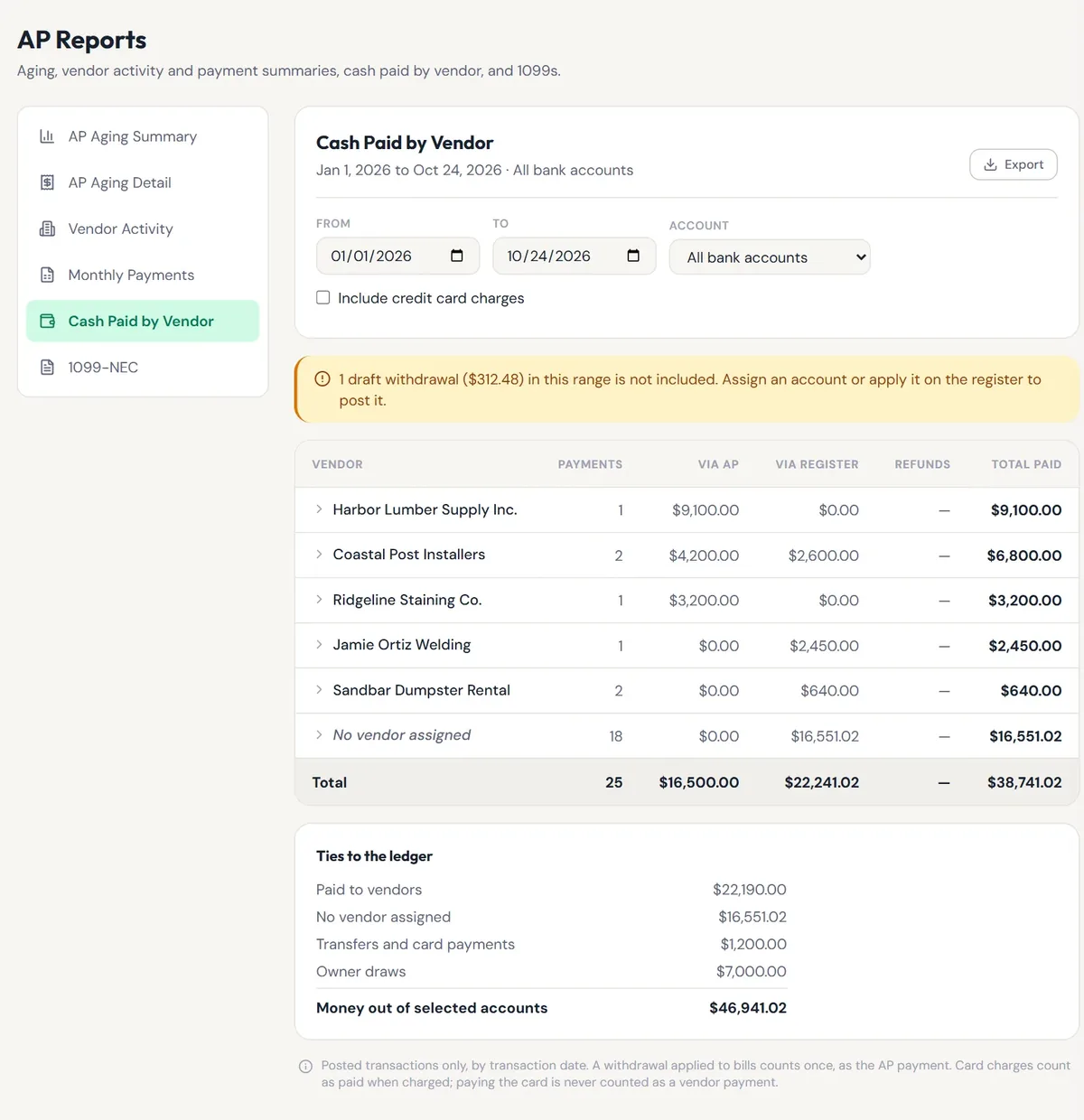
2. See what you paid each vendor. Under AP Reports, Cash Paid by Vendor totals each vendor for any date range, split into bill payments and direct register payments, with refunds in their own column. Transfers between your own accounts, credit card payments and owner draws are kept out of the vendor totals but listed below them, so the report still ties to your bank. Export it to CSV, Excel or PDF.
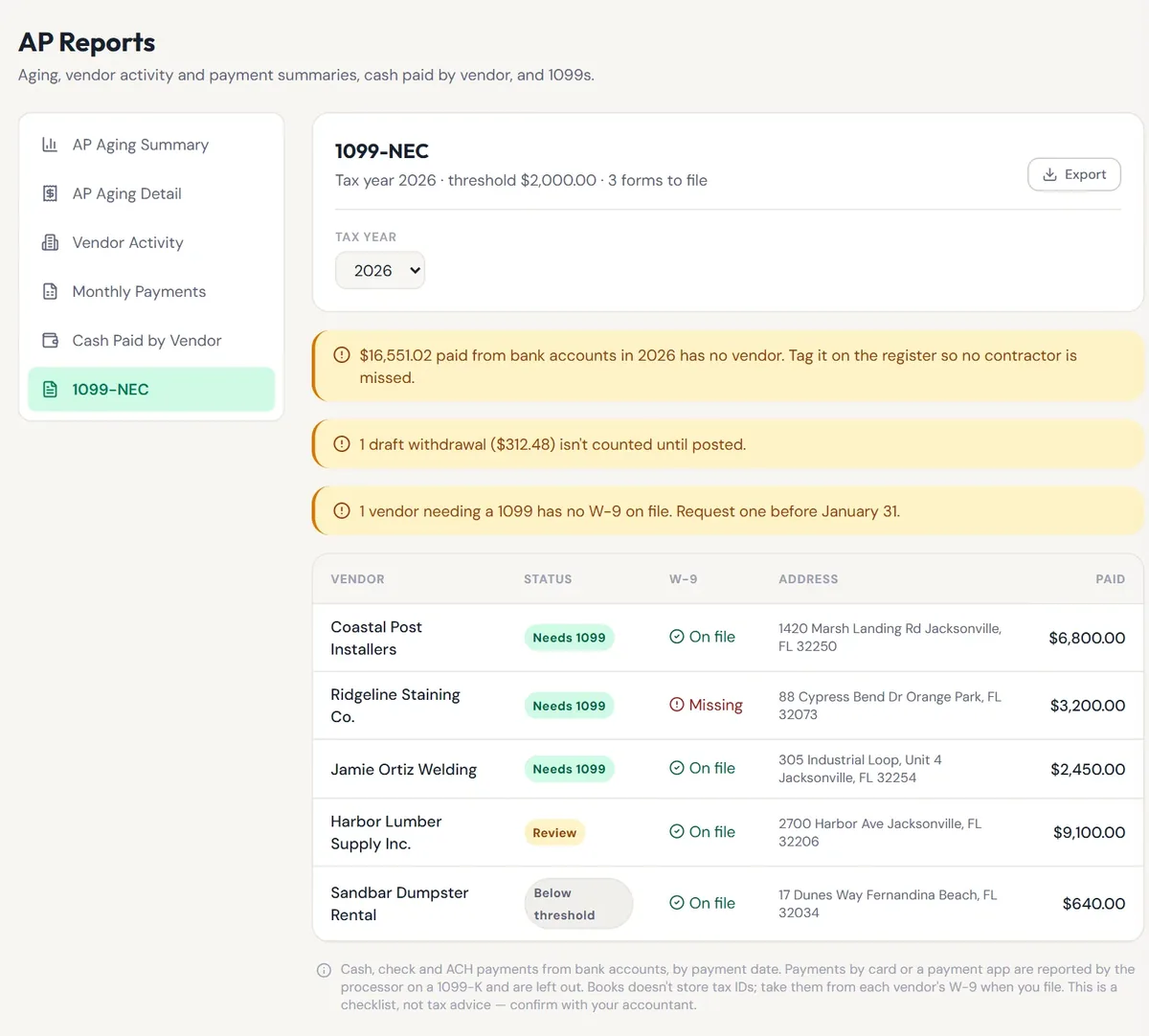
3. Know who needs a 1099. The 1099-NEC checklist puts every vendor in one of three piles:
| Label | What it means |
|---|---|
| Needs 1099 | Marked as a 1099 vendor and paid at or over the threshold |
| Review | Paid at or over the threshold but not marked as a 1099 vendor. A contractor? Mark them. A corporation? Leave it. |
| Below threshold | A 1099 vendor you paid less than the threshold this year |
It also warns you when someone who needs a 1099 has no W-9 on file, while there’s still time to ask.
Who is it for?
- The contractor with subs. A fence company paying three installers by bank transfer sees each one’s year-to-date total in one place.
- The office that pays from two accounts. Choose one bank account or all of them. Card accounts can be added to the vendor report when you want the full picture.
- Whoever does the books in January. The 1099 list, with addresses, exports in one click and goes straight to your accountant.
What should I know before I rely on it?
- The threshold changed. It’s $600 through 2025 and $2,000 for payments made in 2026. Books uses the right one for the year you pick.
- Payments from card accounts aren’t on the 1099-NEC. The card processor reports those on a 1099-K, so Books leaves them off. Paid someone through a payment app from your checking account? Books can’t tell, so check with your accountant whether to tag that vendor.
- Books doesn’t store tax IDs. You tick W-9 on file on the vendor and keep the form somewhere safe. It’s one less thing for anyone to leak.
- It doesn’t file the forms. It tells you who, how much and where. Filing is yours or your accountant’s. Garrett, our CPA, explains how in the 1099 guide.
How do I turn it on?
Vendor Payments & 1099s is a module you switch on in Hub, next to Accounts Payable, which it needs. It’s free during early access. Then open the Vendors page, mark your contractors as 1099 vendors, tick W-9 on file where you have one, and start tagging payments.
Tag as you go each month and January turns into a printout. Our monthly close checklist has a spot for it.
About the author
Travis Sutphin is the CTO and co-founder of simpleWhirks, and builds the parts of Books that turn year-end jobs into reports. More from Travis.
Frequently asked questions
Defined Terms
- 1099-NEC
- The IRS form you send contractors you paid for services above the year's threshold.
- W-9
- The form a contractor gives you with their legal name, address and tax ID.
- 1099-K
- The form card processors and payment apps file for payments they handled.
Related reading
1099 Filing for Small Business: A CPA's 2026 Guide
Who gets a 1099 in 2026, the new $2,000 threshold, NEC vs MISC, the Feb 1, 2027 deadline, and a step-by-step filing walkthrough from a Florida CPA.
Books · Bookkeeping BasicsMonthly Bookkeeping Checklist: A 30-Minute Close
A monthly bookkeeping checklist you can finish in 30 minutes: import the bank, sort the strays, chase open invoices, check the P&L, then lock the month.