QuickBooks Alternatives for Small Business in 2026

Why are small businesses looking for QuickBooks alternatives in 2026?
Three reasons keep coming up: price, feature overload, and a learning curve that doesn’t match how owner-operators run their business. QuickBooks Online has raised prices two summers running. In July 2025 Simple Start went from $35 to $38 (about 9 percent) while Plus jumped from $99 to $115; in August 2026 Essentials rose to $85 and Plus to $140. The most popular plan (Plus) is now $140 per month before payroll, time tracking, or payment processing. That’s real money for a one-truck plumber or a solo photographer.
Feature density is the second reason. QuickBooks Online does a lot: inventory tracking, project profitability, multi-entity consolidation. If you don’t need those, you still pay for them, in a feature-dense navigation and a dashboard built for a business twice your size.
The third is mental model. Most home-based operators close their books by checking their bank balance. QuickBooks surfaces double-entry mechanics throughout its UI, the right view for a CPA, not the model in the head of someone running a cleaning route. The curve isn’t because the software is bad; it’s solving a problem you don’t have yet.
What should a small business look for in a QuickBooks alternative?
Five things, in order: how you get transactions in, how it categorizes them, what reports it produces, what it costs at full price, and how easily you can get your data out. Everything else is secondary.
Getting transactions in matters because typing every line by hand is what kills small-business bookkeeping. A bank feed or a quick statement CSV import both work. Categorization is where 80 percent of your time goes. Reports are what your accountant asks for in February, at minimum a P&L and a balance sheet. Full price matters because every tool runs an introductory discount; what you pay in month four is the real number. Data export matters because the tool that fits today might not fit in three years.
What are the best QuickBooks alternatives for small business in 2026?
Five alternatives are worth seriously considering. The table below is the honest version: list pricing, who each is built for, and the one-line verdict.
| Tool | Best for | Starting price (full) | Free plan | Bank feeds | Built-in payroll | Reports depth | One-line verdict |
|---|---|---|---|---|---|---|---|
| QuickBooks Online | Mid-sized SMBs with employees, inventory, or a CPA who insists on it | $38/mo (Simple Start), $140/mo (Plus) | Yes (QuickBooks Free: 1 user, tight limits) | Yes | Add-on, $50+/mo | Deep | The standard your accountant probably wants, at a price most owner-operators are starting to question. |
| Xero | Service businesses with multi-currency, projects, or unlimited users | $27/mo (Early), $59/mo (Growing); multi-currency and projects need Established ($97/mo) | No | Yes | Via Gusto add-on | Deep | The strongest QuickBooks Online competitor by features. Better for scale; not cheaper. |
| Wave | Freelancers and side-hustlers under ~$50K revenue | $0 (Starter), $19/mo (Pro) | Yes | Pro plan only | Add-on, $40/mo + $6/person | Light | Genuinely free for the basics. Limited as you grow. |
| FreshBooks | Service-based solopreneurs who invoice a lot | $23/mo (Lite), $43/mo (Plus) | No | Yes | Via add-on | Light–medium | Best invoicing in the category. Accounting depth is the trade-off. |
| simpleWhirks Books | Home-based businesses and small service firms (up to 3 people) who want clean double-entry books without thinking in debits and credits | Free (invoicing and bills modules free during early access, normally $9.99/mo each) | Yes, no time limit | No; bank statement CSV import | No | Owner-operator essentials | Built for people who outgrew spreadsheets and got overwhelmed by QuickBooks. Disclosure: this is us. |
Full-price U.S. figures as of October 2026, drawn from the official pricing pages of QuickBooks Online, Xero, Wave, and FreshBooks. Ignore promotional pricing. What you pay in month four is the real number.
The short version: pick QuickBooks Online if you have payroll or inventory, Xero for multi-currency or a larger team, Wave if you're a freelancer under $50K, FreshBooks if invoicing is your day job, and simpleWhirks Books if you want real double-entry books with a checkbook-style register on top. Choose on mental model and full price, not feature lists.
Which QuickBooks alternative fits which kind of business?
The right tool depends on what you’re optimizing for. Here’s where each one wins.
QuickBooks Online still makes the most sense if you have employees on payroll, hold inventory, or work with a CPA already certified in it. Reporting depth is real, and most U.S. accountants can open a QuickBooks Online file without complaint. For a 25-person business with a finance person, this is probably the right answer.
Xero is the better choice when you have international clients, more than five users, or a service business that needs project tracking. Multi-currency is native and good. Unlimited users matters if a bookkeeper, accountant, and partner all need access. Note that multi-currency and project tracking come on the Established plan ($97/mo), not Early or Growing. We’re not better than Xero at the things Xero is good at. If multi-currency or projects matter, use Xero.
Wave is enough for a freelancer doing under roughly $50,000 in revenue with simple income, simple expenses, and no employees. The free tier is genuinely free. The honest limit is depth: bank connections need Pro ($19/mo), and once you need project tracking or deeper reports, you’ll likely move up.
FreshBooks is right when invoicing is your day job. The invoicing experience is meaningfully better than the others on this list. The trade-off is accounting depth. Reports are lighter, and the underlying ledger isn’t built for someone who’ll grow into a 10-person business.
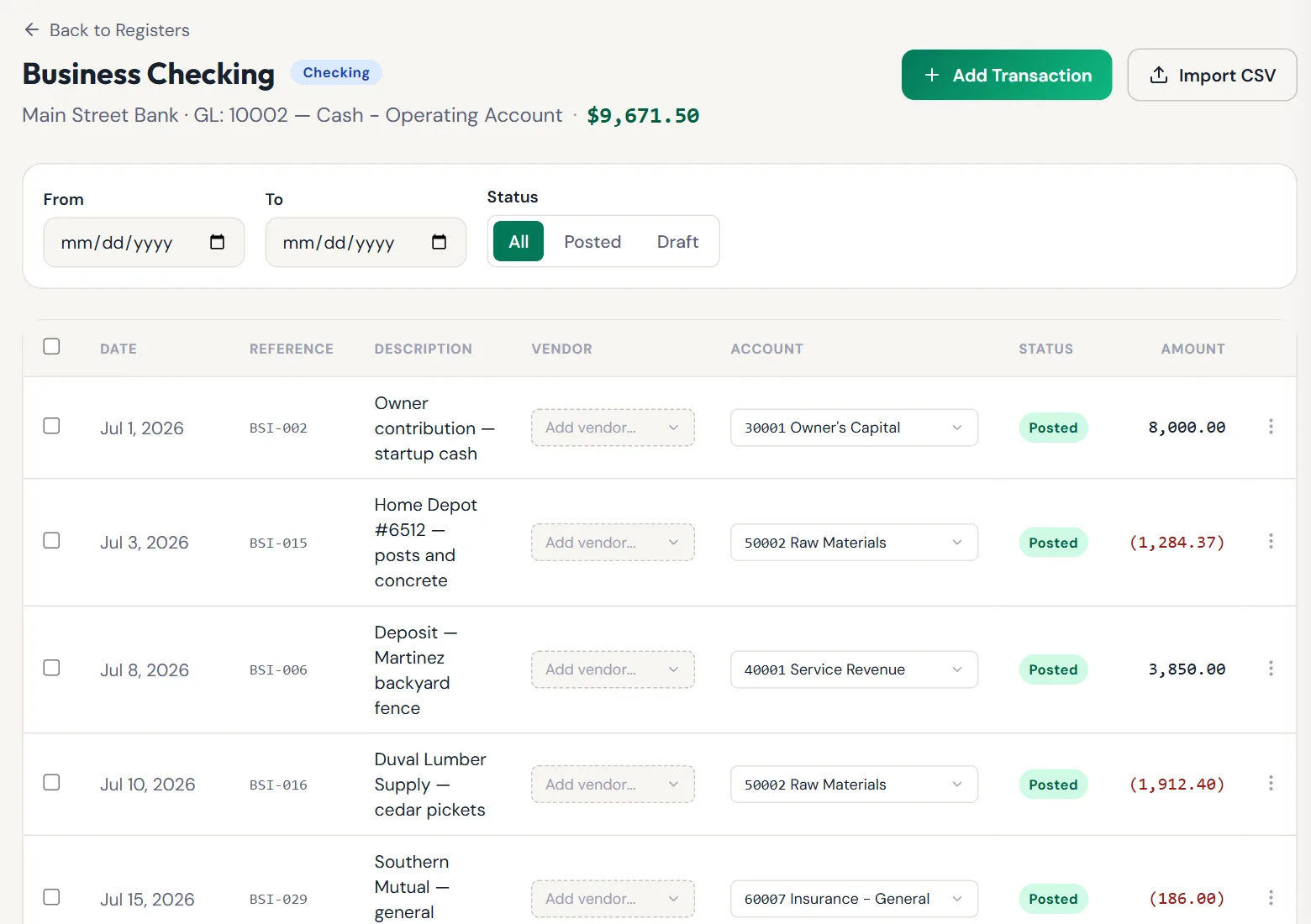
simpleWhirks Books fits when you outgrew a spreadsheet but find QuickBooks overwhelming. The ledger underneath is real double-entry (the same model your CPA wants at year-end), but the day-to-day UI is a checkbook-style register, so you don’t have to think in debits and credits to keep it current. What we don’t do: live bank feeds (you import a statement CSV from your bank each month), payroll, multi-currency, inventory accounting, budgets, recurring transactions, or more than 3 people per organization. See our roadmap for what we’re building next. If you need those, use one of the others.
How do you choose a QuickBooks alternative without regretting it?
Five steps work regardless of which tool you pick, including the ones that aren’t ours.
- Write down the three reports your accountant asks for at year-end. Usually a P&L, a balance sheet, and a transaction list by category. If a tool produces those three cleanly, the basics are covered.
- Get a week of real transactions in before paying for anything. Use a free trial or free tier. Bring in a week of real transactions, by bank feed or by importing a statement CSV, and see whether the categorization makes sense. This single test eliminates about a third of the candidates.
- Run one month of reconciliation in parallel with the old tool. Don’t switch cold. Pick a normal month, reconcile in both, compare ending balances. If they match, the math is right.
- Ask your CPA before you commit. A good CPA will tell you which alternative they can work with at year-end without billing extra hours.
- Plan the migration in advance, including what doesn’t transfer. Knowing what won’t transfer is the difference between a one-evening migration and a three-week mess.
If you can’t do all five, the tool isn’t ready or your business isn’t.
What does it actually cost to switch from QuickBooks?
The realistic cost is one weekend plus the difference in monthly subscription. Most alternatives import a QuickBooks export (chart of accounts, balances, transaction history) in under an hour; some, including simpleWhirks Books, don’t import customer and vendor lists, so you re-add the active ones. The work is in the after part: double-checking opening balances, confirming year-to-date totals, and re-adding the contacts you still bill or pay.
The dollar cost is usually a wash or a savings. Moving from QuickBooks Online Plus ($140/mo, $1,680 a year) to Xero Growing ($59/mo) saves $81 a month, or $972 a year. Wave’s free tier saves the whole subscription; so does moving the ledger to simpleWhirks Books, which saves the full $1,680 a year versus QuickBooks Online Plus, and invoicing is free during early access (normally $9.99/mo).
What doesn’t transfer when you migrate from QuickBooks?
The short answer: the things you customized. Chart of accounts, balances, and historical transactions move by CSV into most alternatives via QuickBooks’ CSV exports. Some tools, including simpleWhirks Books, don’t import customer and vendor lists, so you re-add the active ones. What doesn’t move anywhere: budgets, recurring transaction templates, custom report formats, attached receipts and PDFs, and any third-party app integrations you set up inside QuickBooks Online.
Whether you can re-create those depends on the tool. To be straight about ours: simpleWhirks Books has no budgets or recurring transactions yet. Keep a budget in a spreadsheet, and enter repeating items as they happen. Our roadmap shows what’s coming next. The fear of “I’ll lose everything” is mostly fear.
Are free QuickBooks alternatives any good?
Yes, for the right size of business. Wave’s free plan is the strongest free option in the category and is enough for many freelancers under $50K in revenue. Zoho Books offers a free plan capped at $50K in annual revenue. simpleWhirks Books is free for a full double-entry ledger, presented as a checkbook-style register so you don’t have to think in debits and credits, with customer invoicing and vendor bills as optional modules, free during early access (normally $9.99/mo each).
The honest limit on free plans is feature scope: no payroll, light reporting, limited multi-user access. Starting on a free tier and outgrowing it is much cheaper than starting on a $140/mo plan you don’t need.
What’s the easiest QuickBooks alternative to learn?
The easiest is the one whose mental model matches how you already think about money. If you run your business by checking the bank balance, checkbook-style products (simpleWhirks Books, Wave at the simplest tier) are easier to learn. If you already understand debits and credits, FreshBooks and Xero feel familiar quickly. QuickBooks Online has the deepest learning curve here, not because it’s poorly designed, but because it’s solving a more complex problem than most owner-operators have.
If learning curve is your top priority, time-box it. Give a tool one weekend. If you can’t get a clean P&L for last month by Sunday night, the curve is too steep.
Are you ready to switch? Take the assessment
Not sure whether you’re ready to move? We built a five-minute assessment that walks through the actual signals (revenue, transaction volume, employees, complexity) and tells you honestly whether you’ve outgrown spreadsheets, whether QuickBooks is overkill, or somewhere in between.
Take the “Are You Outgrowing Spreadsheets?” Assessment →
Free, no credit card. The result tells you what to do next regardless of which tool you choose.
What questions come up most often about QuickBooks alternatives?
Is there a free alternative to QuickBooks for small business?
Yes. Wave’s Starter plan is genuinely free for invoicing, expense tracking, and basic accounting, with no time limit. Zoho Books offers a free plan capped at $50,000 in annual revenue. Free plans work well for freelancers and side-businesses. They don’t usually include payroll, advanced reporting, or multi-user access. Those land on paid tiers. simpleWhirks Books is free for the bookkeeping itself — chart of accounts, registers, journal entries and every report, with no card and no trial that runs out. Customer invoicing and vendor bills are optional modules, free during early access (normally $9.99/mo each). Starting on a free tier or low-cost plan and upgrading later is cheaper than committing to a $140/mo plan you don’t yet need.
What is the cheapest QuickBooks alternative for a one-person business?
The cheapest real options are Wave Starter at $0, simpleWhirks Books at $0 for the bookkeeping (invoicing and bills are free during early access, normally $9.99/mo each), and Xero Early at $27 per month. Books is free for a full double-entry ledger, presented as a checkbook-style register so you don’t have to think in debits and credits. Xero gives more headroom but costs more. Watch out for promotional pricing on the bigger tools: most advertise a 30 to 90 day discount, then bill at full rate. Compare on the post-promo price.
Which is easier to use, QuickBooks or Xero?
Most reviewers, including users on G2 and Capterra, describe Xero as having a cleaner setup and gentler learning curve than QuickBooks Online. The trade-off is depth: QuickBooks does more once you’ve climbed the curve. For an owner-operator with no accounting background, Xero usually feels less overwhelming during setup. For a 10-person business with inventory and payroll already in motion, QuickBooks’ depth tends to win out by year two. Trial both before you decide.
Can I switch from QuickBooks without losing my data?
Yes, though not everything moves. Your chart of accounts, account balances, and transaction history move by CSV into most alternatives, exported through QuickBooks’ CSV exports. Some tools, including simpleWhirks Books, don’t import customer and vendor lists, so you re-add the active ones. What doesn’t move anywhere: budgets, recurring transaction templates, custom report formats, attached receipts, and third-party integrations. Re-create the ones the new tool supports after migration. Run one month of reconciliation in parallel with the old tool before fully cutting over; that catches any mismatch before tax time arrives.
Do I need to use the same software as my accountant?
No, but it helps to ask first. Most CPAs work in QuickBooks, Xero, and a handful of others. A good CPA will tell you which alternatives they can open without billing extra hours. The format you give your accountant matters more than the software brand. If your tool can export a clean P&L, balance sheet, and transaction list as CSVs or PDFs, most accountants can work with it. The IRS cares about accurate, accessible records, not the brand.
What’s the best QuickBooks alternative for home-based businesses?
The best fit handles Schedule C categories cleanly, has a low monthly cost, and doesn’t push you into double-entry before you need it. simpleWhirks Books is built for this case specifically. Wave Pro at $19/mo is a strong second option for very small operations. FreshBooks Lite at $23/mo works well for home-based service businesses that invoice heavily. The SBA notes that more than half of U.S. small businesses are home-based, so the segment is real and the tools targeting it are getting better.
Should I switch from QuickBooks to a cheaper alternative?
The honest answer is “maybe.” Switch if you’re paying for QuickBooks features you don’t use, the learning curve still bothers you a year in, or price increases have outpaced the value you get. Stay if you have employees on payroll inside QuickBooks, your CPA actively prefers it, or your business has grown into the depth QuickBooks is built for. The decision isn’t about the software. It’s about whether the software still matches the business you’ve become today.
About the author
Travis Sutphin is the CTO and co-founder of simpleWhirks. He leads engineering on the Books product, which is built around a checkbook-style register UI on top of a real double-entry ledger. Travis is not an accountant. He built Books because the existing options were either too expensive for home-based businesses or had learning curves built for accountants rather than owner-operators. Read more · LinkedIn
This post is refreshed every six months. Pricing and feature data verified October 2026 against the official pricing pages of each product. Next refresh scheduled April 2027.
Frequently asked questions
Defined Terms
- Chart of accounts (COA)
- The categories (income, expenses, assets, liabilities, equity) that your transactions get sorted into.
- Double-entry bookkeeping
- The accounting standard where every transaction is recorded twice, once as a debit and once as a credit.
- Profit & loss statement (P&L)
- A report showing income minus expenses over a period. Also called an income statement.
- Bank feed
- An automated connection that pulls transactions from your bank into your bookkeeping tool.
- Reconciliation
- The monthly process of matching your books to your bank statement so the two agree.
Sources Cited
Related reading
Why Home-Based Businesses Are Outgrowing QuickBooks
QuickBooks Online was built for businesses ten times the size of a home-based operator. Here's how to tell if you've outgrown it, and what you actually need.
Books · Bookkeeping BasicsBookkeeping Basics for Non-Accountants
A plain-English bookkeeping primer for owner-operators. The five terms, three reports, and one daily habit that cover 90% of what you actually need.
Books · Switching from QuickBooksHow to Switch from QuickBooks to simpleWhirks Books
The complete 10-step migration playbook for moving from QuickBooks Online to simpleWhirks Books, written by a CPA and a CTO. Export, import, check balances, file.